 SliTaz Forum
You are not logged in.
BOOT:
========
1) don't select a language - this is broken, just go to the first lines of both boot screens and hit enter
this is a problem with locale (at least in German) - booting hangs on searching for a sound card
canntot open locale definition file 'de_DEeuro': no such file or directory
2) boots to black screen - its possible to kill now X with ctrl+alt+backspace - if you have a intel grafic card - then log in as tux and start X manually with the command [c]startx[/c]
if you have a different card, you have get root and load your video driver with tazx, before you log out again to tux and type 'startx'
for nivdia and sis install the fbdev driver, for geode the geode driver, for ati the ati driver (those I tested)- like this it boots nice on all my computers with the wallpaper as tux (see attachment)
normally geode and ati are supported by xvesa, but there is a bug - see Errors
errors in Xorg.0.log after killing X with X with ctrl+alt+backspace
[c][ 24.411] (**) ModulePath set to "/usr/lib/X11/modules"
[ 24.412] (WW) Hotplugging is on, devices using drivers 'kbd', 'mouse' or 'vmmouse' will be disabled.
[ 24.412] (WW) Disabling Mouse0
[ 24.412] (WW) Disabling Keyboard0
[ 24.416] (WW) Falling back to old probe method for vesa
[ 24.416] Number of created screens does not match number of detected devices.
Configuration failed.[/c]
I have a rolling from summer, where I did not have to kill X - you can test and download it here:
http://www.filedropper.com/slitaz-rolling
PACKAGES:
========
Can somebody add and remove packages from the cooking iso?
ADD
spacefm http://hg.slitaz.org/wok/rev/4510e539d085
udevil http://hg.slitaz.org/wok/rev/e58f9312f0e7
xorg-xf86-video-fbdev
REMOVE
pcmanfm, hal, xorg-xf86-video-nv
DOWNGRADE
midory 4.7 is extremly buggy - would be better to go back to 4.6
as you can read in the wok titles, that was pankso's plans - and it works as you can see in the attachment
why to remove intel (not before xvesa bug is solved) and nv - I think we can add them later, if we need them - fbdev and vesa did big improvements
ADAPTATIONS:
==================
change in [c].config/openbox/autostart.sh[/c]:
[c]pcmanfm -d &[/c]
to
[c]spacefm -d &[/c]
[attachment=19478,871]
ERRORS
there is an udev bug: /lib/udev/write_cd_rules cannot write /etc/udev/70-persistent-cd.rules
so udevil is missing this info and cannot mount it.
root@slitaz:/lib/udev# ./write_cd_rules
Missing $DEVPATH.
root@slitaz:/lib/udev#
and the vesa bug
(WW) xf86OpenConsole: setpig failed: Operation not permitted
(EE) Server(s) found, but none have a useable configuration
Fatal server error:
no screens found
Offline
ok explored it with my AMD X2 with Nvidia
it works nice with fbdev driver - see attachment
I suggest to replace nv with fbdev, or at least to add xorg-xf86-video-fbdev.tazpkg to the iso
ok no txt or pdf upload possible
Offline
and we should have cpu-freq-scaling included in 5.0
https://wiki.archlinux.org/index.php/Trayfreq
Offline
ok - main edit is done
Thomas
Offline
a) local
Use pizza.slitaz.org to create flavor based on 4-in-1-core
Add/remove packages as you want
Use tazlito to build iso on your local machine
Boot
Share
b) official
Rolling use cooking 4-in-1-core flavor
Flavors are here: hg.slitaz.org/flavors/file/tip
Need to change core flavor while 4-in-1-core used it as top layer
Commit, push, create iso (how?)
Download
Boot
Post here
...
Offline
>pcmanfm, hal, xorg-xf86-video-intel, xorg-xf86-video-nv
I suggest removing Xorg and switch to console.
>midory 4.7 is extremly buggy - would be better to go back to 4.6
It's cooking, not stable.
Offline
I suggest removing Xorg and switch to console.
Slitaz-base, nope? 
Kultex, I'm not understand about intel and nv. I hope, intel video driver fit better than fbdev on my intel video card. Anyway, I need to try it.
Offline
thx Aleksej,
I think, its just to change in hg / flavors the packages in the different packages list, as Pascal did it here http://hg.slitaz.org/flavors/rev/13c232f4d1aa
and regarding intel and nv - you can read here: http://doc.slitaz.org/en:guides:xorg-xvesa until 3.0 there was only xorg-xf86-video-vesa included and there existed a special tinyX iso, when there was a problem with the original iso.
tinyX was depricated in those days, 4.0 was done, so pankso experimented with a fbdev-iso, which did not work at all, so I think it was in RC3, that intel and nv joined the 4.0-iso
Xorg had big changes in those days, but now xvesa and fbdev driver got much better and I just suggest to step back to good old slitaz tradition.
If its clear, that xvesa or fbdev still have trouble with intel grafik, we can add them again - thats my suggestion
Thomas
Offline
There is an error in udisks in cooking
tux@slitaz:~$ udisksctl --help
udisksctl: error while loading shared libraries: libffi.so.5: cannot open shared object file: No such file or directory
tux@slitaz:~$
Spacefm should be updatetd to 0.8.4 and udevil to 0.3.6
http://ignorantguru.github.com/udevil/news.html
http://ignorantguru.github.com/spacefm/news.html
Offline
udisks is rebuilt, spacefm & udevil updated & cooked, mirror sync'd.
Offline
thx pascal and one more info
at the moment its not a good idea to remove the intel driver, because there is a bug with the vesa driver
Earlier I changed /etc/X11/xorg.conf to use the vesa driver, but this was somehow overruled by xorg and I did not check this in the log
the reason, why it is not booting on the tinkpad X31 is the same reason, because the X31 was always booting in SliTaz with the vesa driver - the error in Xorg.0.log:
(WW) xf86OpenConsole: setpig failed: Operation not permitted
(EE) Server(s) found, but none have a useable configuration
Fatal server error:
no screens found
Offline
i can't understand if you got vesa driver working or not
If i'm not wrong xorg read confs from files in xorg.conf.d, so you're supposed to change /etc/X11/xorg.conf.d/60-Device.conf to change driver to vesa
may the problem be due to files in that dir?
if i misunderstood please forgive me.
Offline
you are not wrong, that is something, what is confusing me too and I did not understand it until now - I changed the 60-Device.conf to "Vesa"
but it is still the intel driver loaded
if you want I can make you a screenshot
Offline
vesa: ignoring device with a bound kernel driver
if you want vesa you need to remove every kind of linux*drm (or find out who loads i915 or how to blacklist it) then reboot with a vesa 60-Device.conf,
i've lost framebuffer output on my hdmi esternal screen and xorg output too, i'll go back to intel. portatile screen works ok but looks ugly.
PS and i'm very happy with intel :-)
Offline
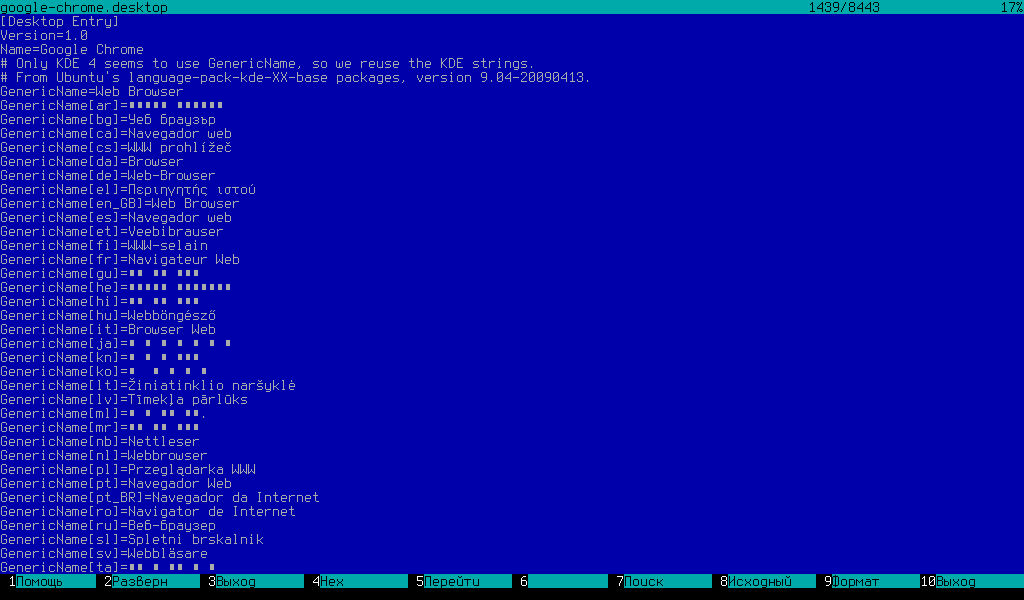
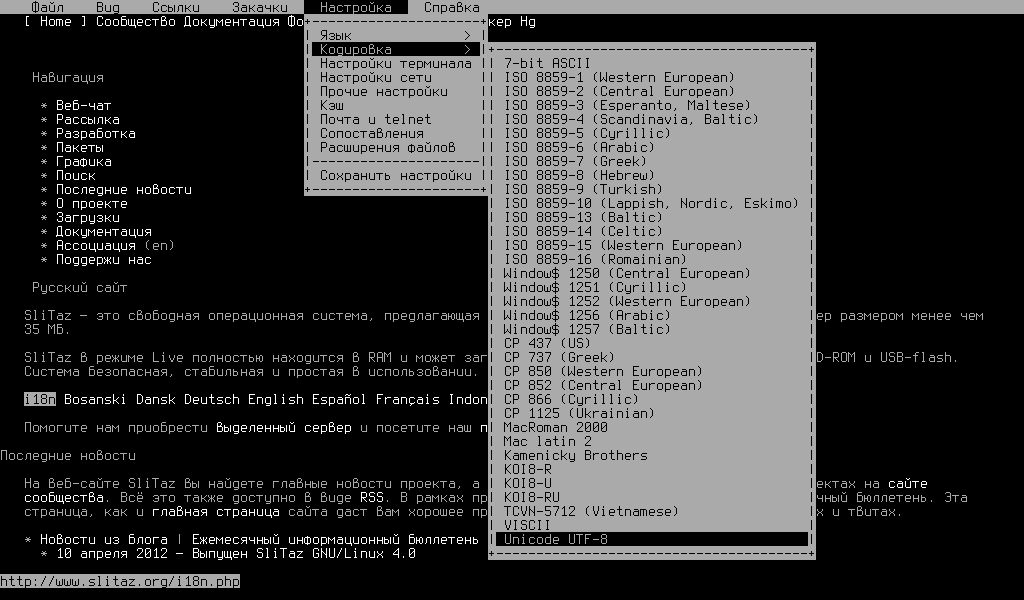
I just prepared packages terminus-font and it subset with only one font (8×14) terminus-font-base.
I hope, this Unicode (!) console font (~5KB) can substitute whole content of /usr/share/kbd/consolefonts
(~500KB). Seems like it fit our purposes, and I can view different textes on English, Russian, French, Greek, Deutch, Portuguese, etc. All but Chinese glyphs.
We can move console fonts from kbd package to kbd-fonts, and use terminus-font-base package as dependency for kbd.
Who wants to try it?
Download and install tazpkg from attached file.
Go to console by pressing Ctrl+Alt+F1
Log in (as regular user), for example: user tux, password empty
Type command to set terminus font: setfont ter-v14n
Test font by typing some commands: tazpkg; busybox; ls; all you want
Exit this session by command exit
Go back to your graphical system by pressing Alt+F7
Offline
Guys and Pascal in special, please update mesa to latest version (9.0.1)
Offline
may i ask for an info?
would the mesa update prevent i915 to be auto-loaded or it's for some other reason?
thanks
Offline
@Aleksej
terminus seems good, if i must find something wrong maybe a little thin for little screen
had to install kbd package to test it.
Offline
@Bellard
seing this
http://hg.slitaz.org/wok/rev/9eec9f7a2768
i think that you are working on upgrading mesa
i tried myself for the sake of curiosity and i think that llvm is required.
being llvm.org down i built llvm using debian original source and configure options form LFS:
`
PACKAGE="llvm"
VERSION="3.2"
CATEGORY="development"
SHORT_DESC="Modular e compiler toolchain collection"
MAINTAINER=""
TARBALL="$PACKAGE-$VERSION.tar.xz"
WEB_SITE="http://llvm.org"
WGET_URL="http://ftp.de.debian.org/debian/pool/main/l/llvm-3.2/llvm-3.2_3.2.orig.tar.bz2"
#SUGGESTED="udevil"
DEPENDS=""
BUILD_DEPENDS=""
# Rules to configure and make the package.
compile_rules()
{
cd $src
./configure \
--enable-libffi \
--enable-optimized \
--enable-shared \
--enable-targets=all \
--disable-assertions \
--disable-debug-runtime \
--disable-expensive-checks \
$CONFIGURE_ARGS &&
make && make install
}
# Rules to gen a SliTaz package suitable for Tazpkg.
genpkg_rules()
{
mkdir -p $fs/usr/bin
cp -a $install/usr/bin/* $fs/usr/bin
mkdir -p $fs/usr/include
cp -a $install/usr/include/* $fs/usr/include
mkdir -p $fs/usr/lib
cp -a $install/usr/lib/* $fs/usr/lib
}
'
it took ages to build but with it i can build mesa (adding llvm and libtool as build depends)
just trying to help, i would not post this if llvm was up, i don't want to do your job :-)
Offline
@Aleksej to test your terminal font
how can I switch to german keyboard on console - setxkbmap de works only for X
EDIT:
sorry - it is tazkeymap..
the only key not working is ~ but this is also not working in X, I can do it only with the english keyboard
Offline
@Bellard:
please, rename nouveau driver to nouveau_vieux (NV04 - NV20), as it doesn't support any newer cards.
Also, I'd suggest adding llvm dependency, as almost everyone switched to and works faster and better with gallium3d (geforce FX and later, radeon 9500 and later, intel gma950)
Offline
@kultex
If you pass parameters to kernel LANG=de (if I recall correctly) then you already have german keyboard. Init script do the job for you.
Pure linux way:
# loadkeys de
While you can change font without root permissions.
Offline
@Aleksej LANG=de is not working in rolling - see the beginning of the thread - it hangs on searching soundcard
exploring the vesa bug - I found something:
ignoring device with a bound kernel driver
(WW) Falling back to old probe method for vesa
This is vesa-specific and leads to http://cgit.freedesktop.org/xorg/driver/xf86-video-vesa/commit/?id=b1f7f190f9d4f2ab63d3e9ade3e7e04bb4b1f89f
so I try to find, whats blocking thevideo card and I cannot find something in dmesg
I attach it, perhaps somebody else can see something
Offline
Probably because it should be something like lang=de_DE - I know it's something weird like that.
Offline
@kultex
Execuse me for "# loadkeys de" 
There is no "de" keymap. Use one of the following: "de-latin1" or "de_CH-latin1" (proof link).
Soundcard, lang, and vesa: what is common? Really weird... Maybe, it's my commit broke the lang selector... Not tested it.
Offline
[ Generated in 0.017 seconds, 7 queries executed - Memory usage: 1.59 MiB (Peak: 1.77 MiB) ]